
One record, every stage of the journey
Each module below exists in the product today. Screenshots are taken from the running application using a demo dataset.
International Patient Center
Patients apply from the mobile app or the web in the language they choose. The application collects identity and contact details, the health profile, expectations, preferred dates and the required consents as separate steps, so an incomplete inquiry never reaches the coordinator.
- Multi-step application with per-step completion tracking
- Six interface languages: Turkish, English, German, French, Arabic and Russian
- Mandatory consents collected before submission, recorded against the published text version
Coordinator Workspace
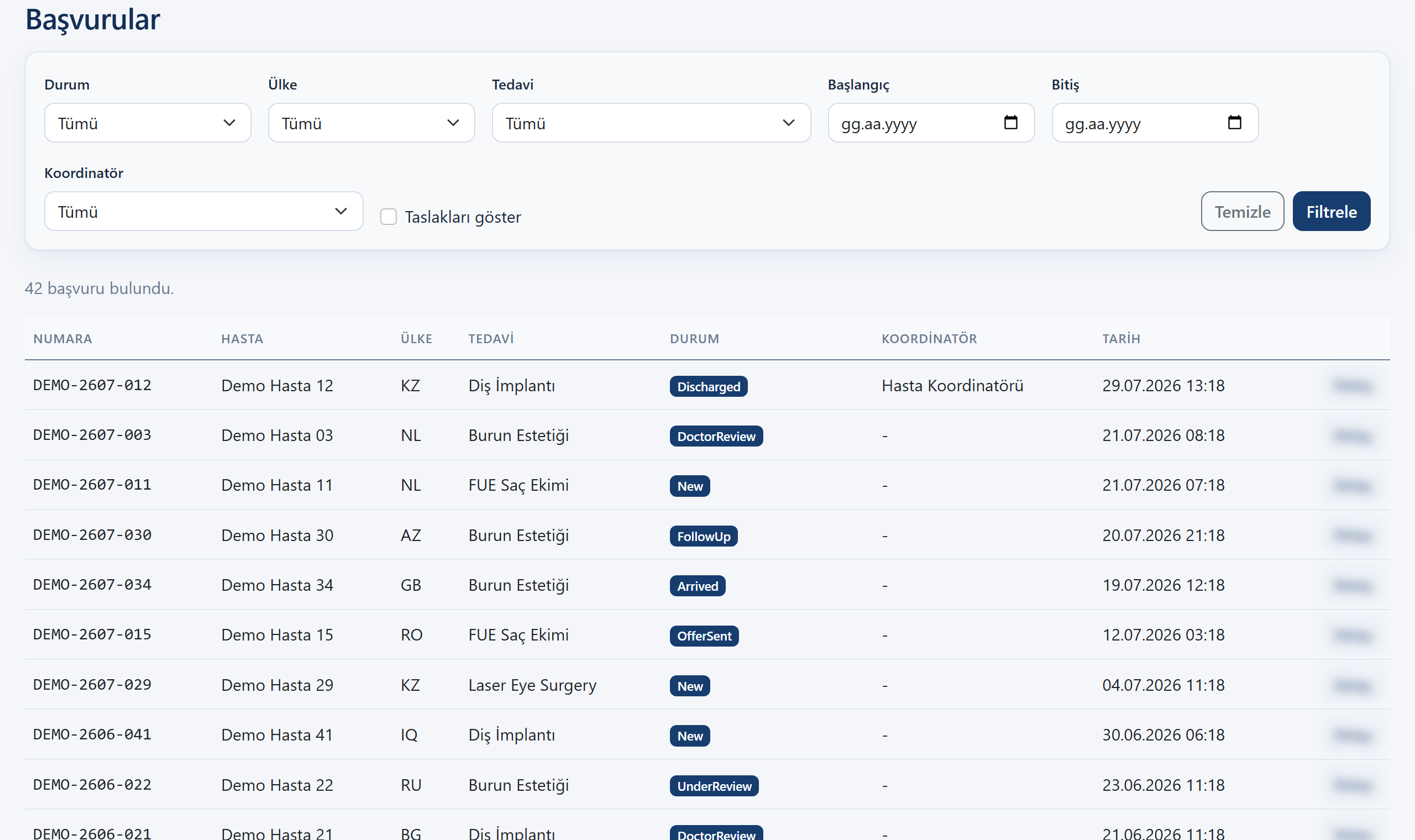
Every inquiry becomes a single record that a coordinator owns. Status transitions follow a state machine: an application cannot skip a stage or silently move backwards, and every change is attributable to a user.
- Assignment of a coordinator and a physician per application
- Guarded status transitions with an audit record for every change
- Filtering by status, country, treatment area and date range
Physician Evaluation Workflow
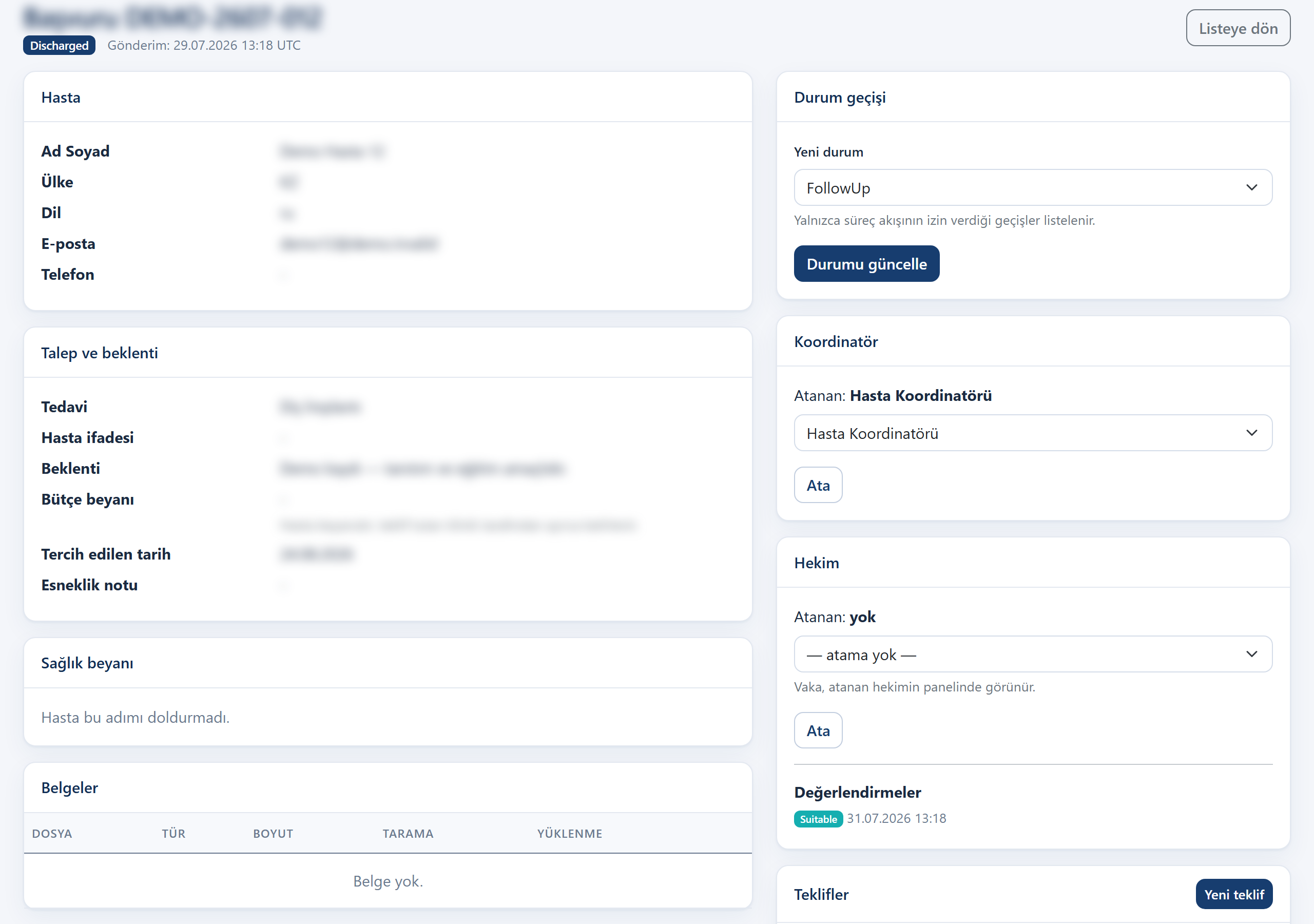
Medical assessment is performed only by authorised physicians, in a workspace separate from the coordination screens. The physician records a decision — suitable, not suitable, or requires an in-person examination — together with notes and any further examinations required.
- Separate permission for medical assessment; coordinators cannot record a decision
- Decision, clinical notes and requested examinations stored with the application
- The system produces no medical recommendation and no automated decision
Document & Consent Management
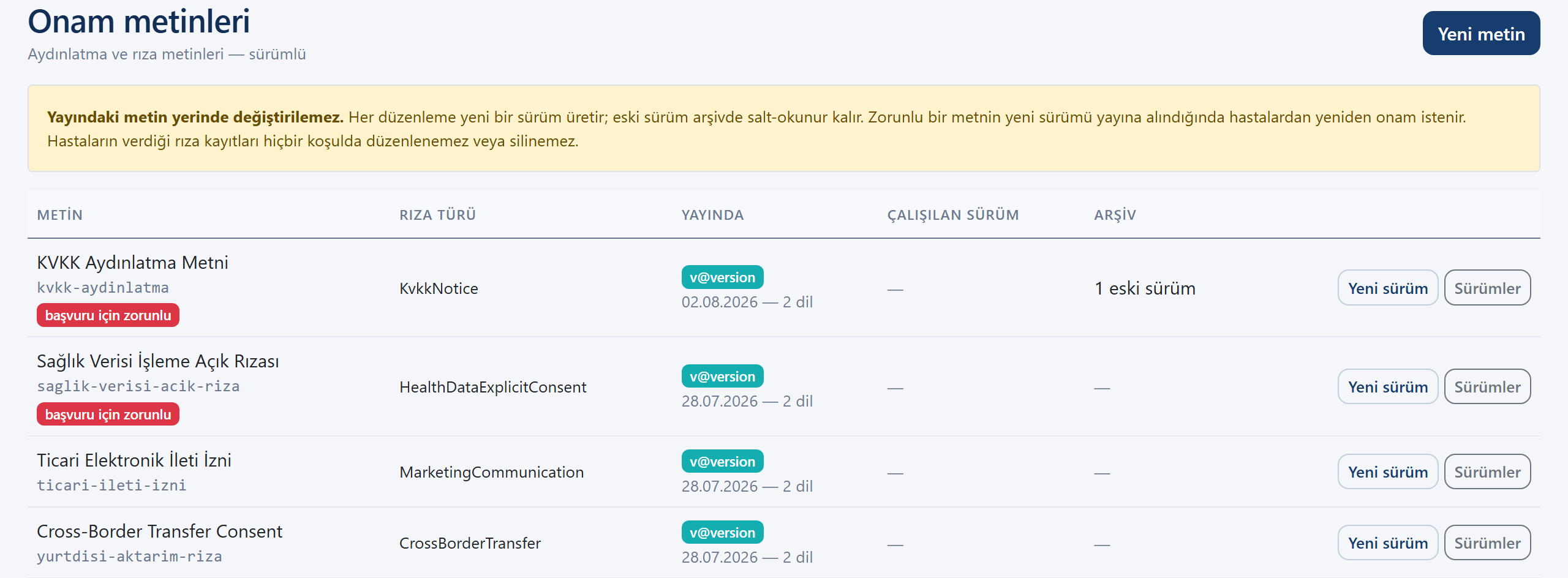
Patient documents and consent records are handled apart from promotional content. Documents are served through short-lived signed links rather than public addresses, and consent texts are versioned: a published text is never edited in place.
- Versioned consent texts with a separate permission for publishing
- Consent records bound to the exact text version the patient approved
- Documents delivered through expiring links, never public URLs
Multilingual Communication
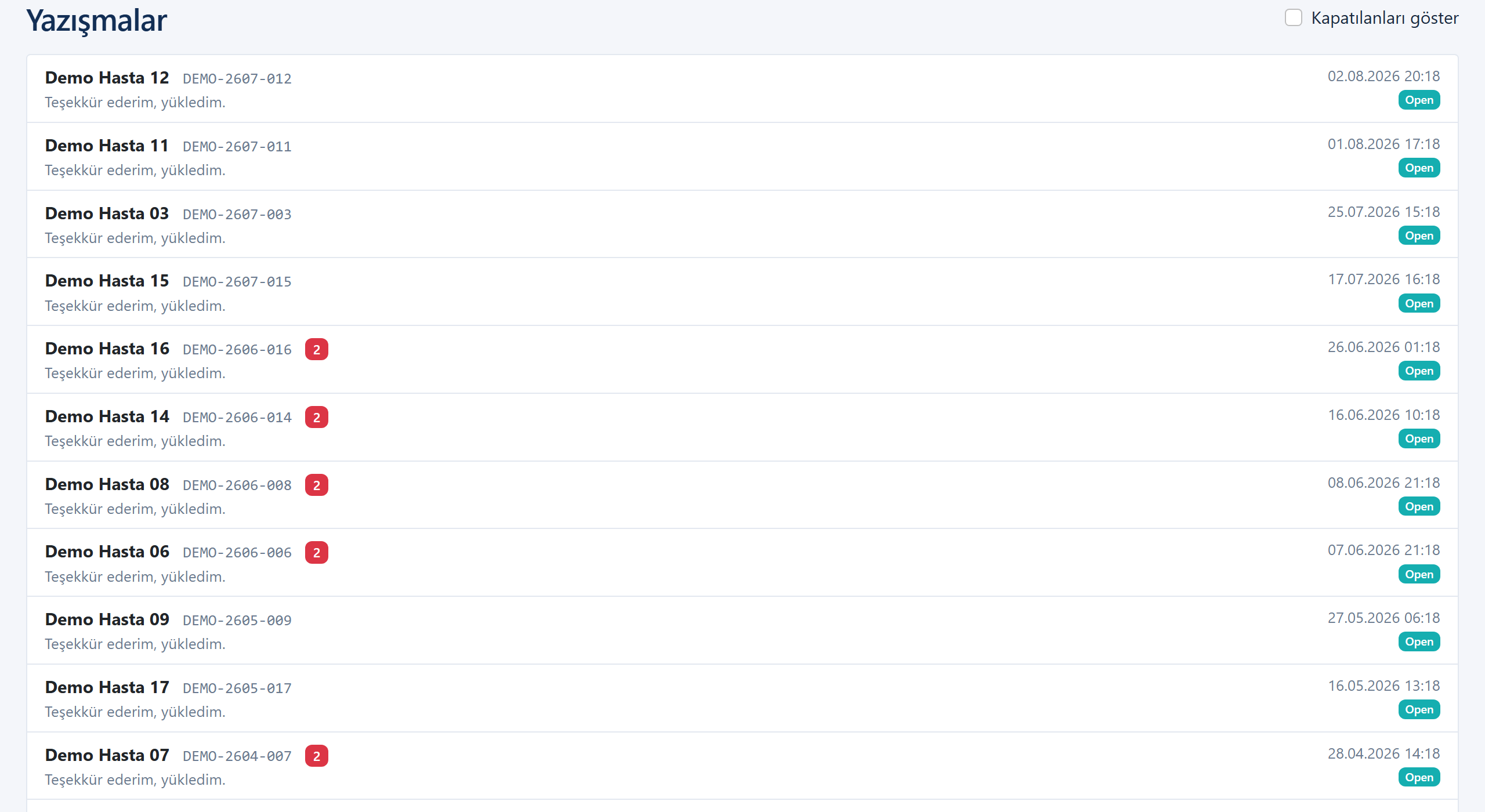
Patient and coordinator write in their own languages within the same conversation. Each message stores its source language, and the sender shown to the patient is always the hospital's coordination unit rather than an individual account.
- Conversation per application, with unread tracking for the coordination team
- Source and target language recorded per message
- Real-time delivery; the sender identity shown to the patient is the hospital unit
Travel Coordination
Appointments, arrival and departure details, accommodation and transfer notes are attached to the same application as the medical record, so the coordinator does not maintain a second list outside the system.
- Appointments with type and status, tied to the application
- Travel and accommodation details on the patient's own screen
- Changes visible to the patient in the app without a separate message
Post-Treatment Follow-up
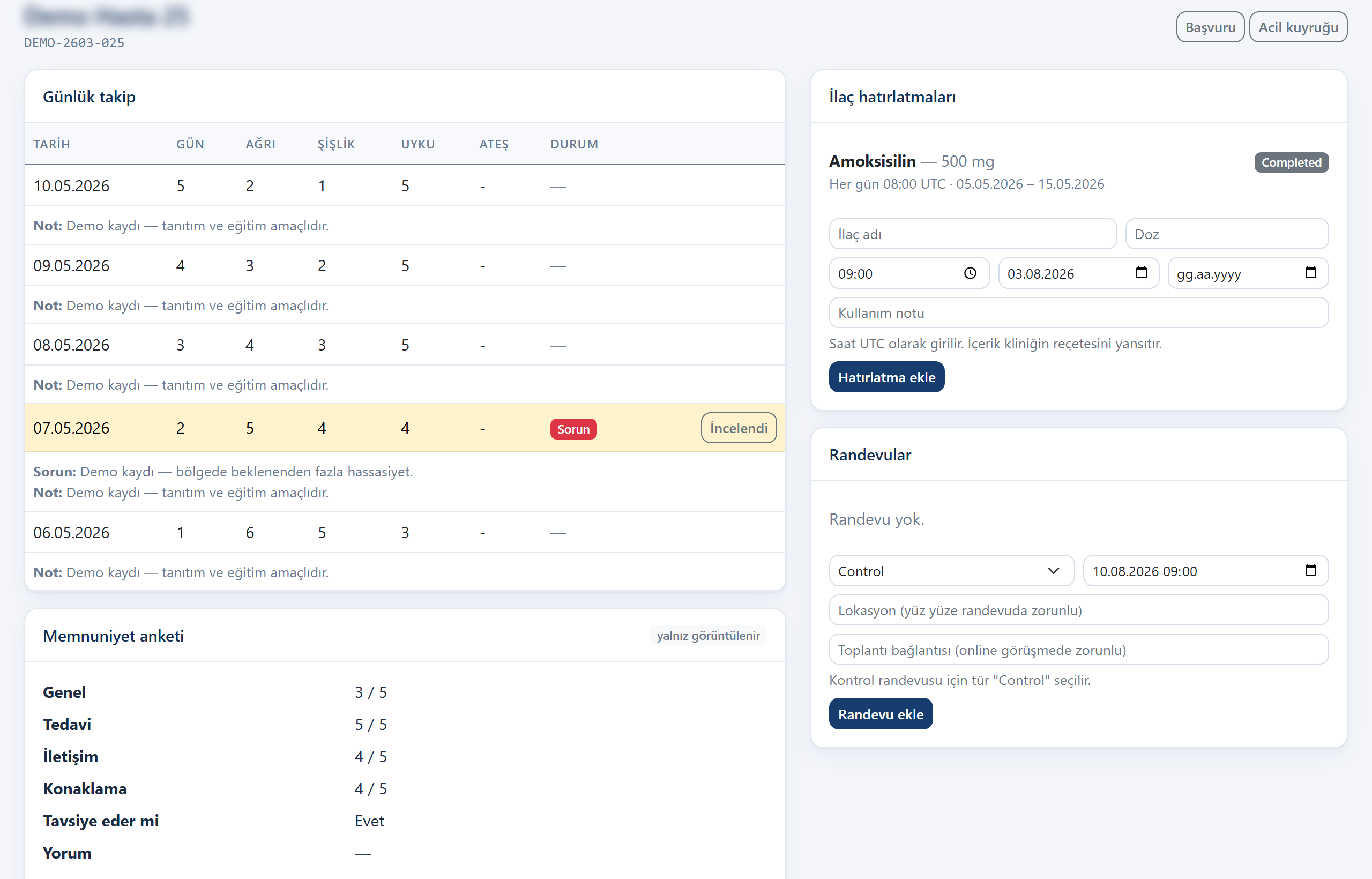
The process does not end at discharge. Patients report their recovery from the app, receive medication reminders and complete a satisfaction survey; issues raised after discharge reach the coordination team as pending items.
- Recovery logs and issue reports raised by the patient
- Scheduled medication reminders delivered as notifications
- Satisfaction survey with overall, treatment, communication and accommodation scores
Management Analytics
The management panel answers the questions leadership normally asks by email: how many applications, at which stage, from which countries, and where the process stalls.
- Volume, open processes, pending issues and unread messages
- Conversion funnel based on recorded evidence rather than the current status label
- Distribution by country, status and treatment area with a date filter

Screenshots are taken from the running product using a demo dataset. They contain no real patient data.
See it against your own process
In a 30-minute session we walk through the platform with your operation in mind: how your inquiries would arrive, who would evaluate them, and what your management panel would show.